


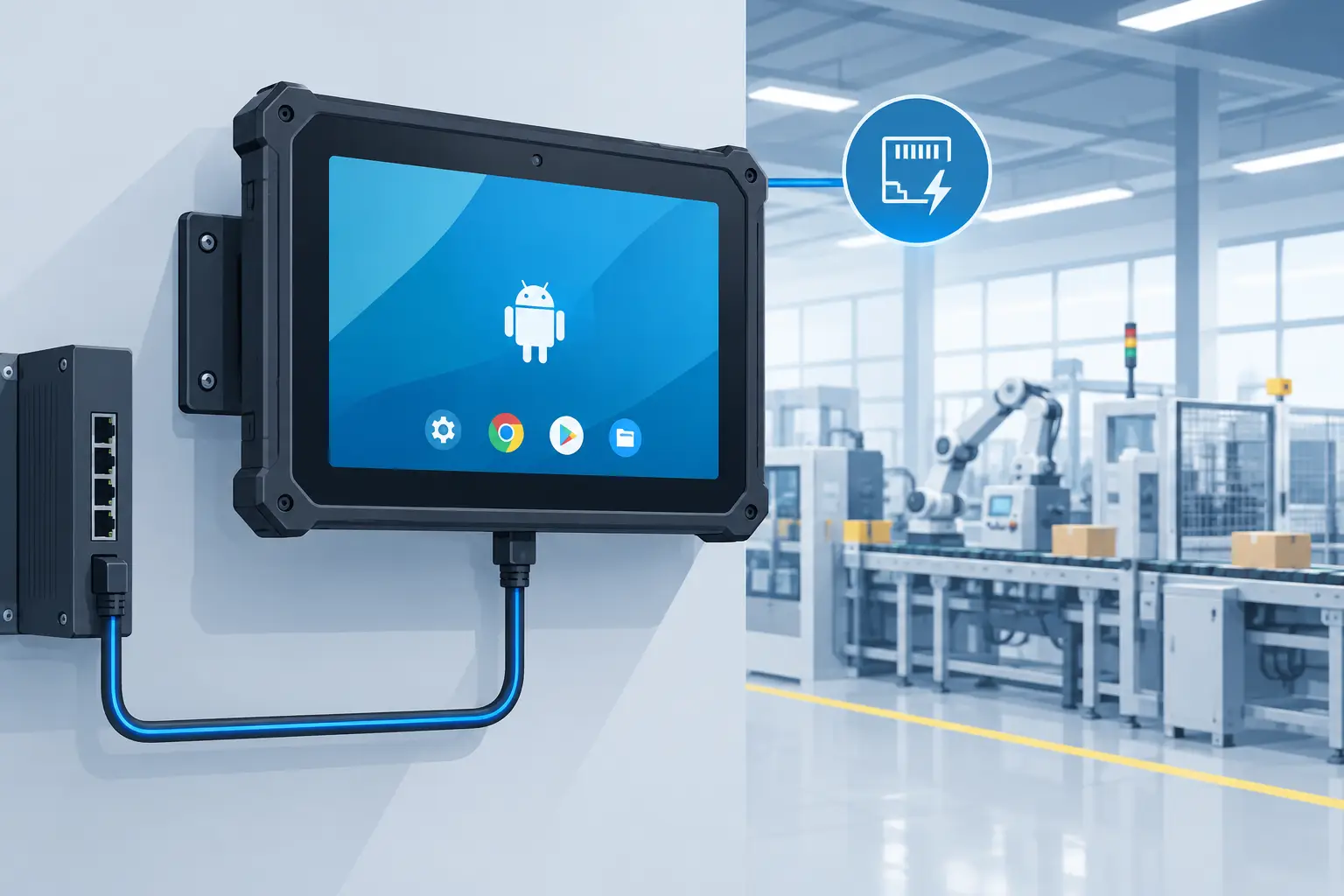
A wall-mounted tablet that needs a nearby outlet, a separate network drop, and frequent hands-on maintenance is not a simple deployment. It is a recurring facility cost. Industrial Android PoE tablets address that problem by combining power and Ethernet connectivity in one cable while providing the Android flexibility needed for access control, room scheduling, factory data capture, visitor management, and digital signage.
For B2B buyers, the value is not simply a cleaner wall installation. It is the ability to standardize a device across sites, control how it operates, and replace or expand units without redesigning the infrastructure. The right tablet can run continuously at a building entrance, on a production line, beside a restaurant kitchen pass, or in a public-facing kiosk. The wrong one can become a support burden before the rollout is complete.
Why Industrial Android PoE Tablets Fit Fixed Deployments
Power over Ethernet sends low-voltage power and network data through a single Cat5e or Cat6 cable. In a fixed touchscreen installation, that removes the need for a local AC outlet and separate Wi-Fi configuration. A PoE switch or injector supplies the connection, while centralized network equipment gives IT teams a clearer way to monitor and manage the deployment.
This architecture is especially practical where outlets are limited, expensive to add, or undesirable. A facilities team can mount a tablet at a conference room entrance without opening walls for new electrical work. An access-control integrator can place a credential reader at a controlled door while keeping the network connection wired. A manufacturer can deploy work-instruction screens where Wi-Fi interference and cable clutter are unacceptable.
Android is equally relevant. Many business applications are designed for Android, and the operating system supports custom apps, peripheral integrations, remote device management, and locked-down kiosk experiences. The device can be configured to launch one application at startup, prevent users from reaching settings, and automatically recover after an interruption. That makes Android a practical operating platform for single-purpose terminals, not just consumer tablets.
PoE does have limits. Power budgets vary by switch standard and by the tablet’s display size, brightness, processor, peripheral load, and operating temperature. A 10-inch room-panel tablet generally has different requirements than a 15.6-inch sunlight-readable display with NFC, cameras, and high-brightness backlighting. Buyers should confirm the required PoE class, total switch power budget, and cable run conditions before finalizing the bill of materials.
What Separates Industrial Units From Consumer Tablets
Consumer tablets can work for a short proof of concept, particularly in a protected office environment. They are rarely designed around long-term fixed mounting, managed Ethernet power, 24/7 display operation, or replacement control over multiple years. Industrial hardware is specified for the realities of the installation, not just the first demonstration.
Enclosure and environmental protection
The enclosure should match the site. A clean office may only require a secure wall mount and tamper-resistant power connection. A food-service, warehouse, transit, or factory deployment may need a front panel rated to IP65 or higher to resist dust, washdown exposure, and routine cleaning. Outdoor or semi-outdoor locations introduce additional requirements, including operating-temperature range, UV resistance, anti-glare treatment, and high display brightness.
An IP rating should be read in context. IP65 protection can be appropriate for dust and water jets at the front of a panel, while IP67 addresses temporary immersion under defined test conditions. Neither rating eliminates the need to consider mounting orientation, cable entry points, condensation, cleaning chemicals, or heat generated inside an enclosure.
Display performance and touch behavior
A display that looks acceptable in a conference room may be unreadable at a loading dock or near a glass storefront. Brightness, typically measured in nits, should be selected for ambient light. Indoor applications may not need extreme luminance, while exterior-facing deployments can require 1,000 nits or more for useful sunlight readability.
Touch requirements also vary. Projected capacitive touch delivers the phone-like interaction users expect, but glove use, moisture, and thick protective films can affect performance. For production floors and field environments, test the actual gloves, cleaning process, and user workflow rather than relying on a generic touch specification.
Compute platform and lifecycle control
Processor, memory, and storage should be sized for the application rather than selected by consumer-tablet expectations. A static room-booking interface has modest demands. A terminal processing camera feeds, barcode scans, RFID transactions, local databases, or multiple enterprise services needs more headroom.
Lifecycle control matters just as much as speed. Buyers should ask whether the platform will remain available through the planned deployment, how hardware revisions are managed, and whether the supplier can support controlled production runs. A consistent motherboard, display panel, and mechanical design reduce unexpected software retesting and field replacement complications.
Specify the Interfaces Around the Workflow
The tablet itself is only one part of the system. The strongest specification begins with the user action the device must support, then identifies the interfaces needed to complete it.
For a door-access terminal, that may mean 13.56 MHz NFC, RFID support for the required card technology, a relay or controller interface, a camera, and a secure mounting arrangement. An employee time clock may require an RFID reader, fingerprint or facial-recognition hardware, and network connectivity to payroll or workforce software. A warehouse terminal may need barcode scanning, USB or serial connectivity, and a mounting system that tolerates vibration.
Peripheral choices require careful engineering. “RFID” alone is not a complete requirement because frequencies, protocols, read ranges, card formats, and credential security differ. Likewise, a camera added for visitor check-in has different placement, privacy, and lighting needs than a camera used for machine-vision assistance. Define the specific integration, then validate it with representative badges, labels, lighting, and transaction volumes.
Audio, sensors, GPIO, RS232, USB, and Ethernet expansion can also determine whether a standard device is sufficient. If the tablet must communicate with legacy industrial equipment or proprietary controllers, an OEM design may be more economical than maintaining external adapters across a large deployment.
Deployment Is a Firmware and Management Decision
A fixed tablet should not behave like an employee’s personal device. Kiosk-mode configuration restricts access to approved applications, blocks unwanted settings changes, and helps return the interface to its intended state after a reboot. It is a foundation for reliable unattended operation.
Remote management should be considered before hardware ships. IT teams may need to provision Wi-Fi credentials for hybrid installations, push application updates, monitor device health, set screen schedules, collect logs, or remotely restart a unit. The preferred management method depends on the customer’s security policy, network architecture, and application ownership, but it should be proven during pilot deployment.
Android version selection deserves the same discipline. Newer Android releases may provide security and platform benefits, yet an established application or peripheral SDK may require a tested version. The practical choice is the version that supports the application, management tools, certification needs, and planned maintenance period. A controlled Android build can also apply custom boot animation, white-label branding, app preloading, USB restrictions, and interface policies appropriate to the use case.
When Standard Hardware Is Enough and When Custom Design Pays Off
A standard industrial Android PoE tablet is often the fastest route when the display size, mounting format, processor, and I/O already fit the workflow. It can be adapted with a branded boot screen, enclosure graphics, kiosk configuration, application loading, and selected peripheral options. This approach reduces engineering lead time and is well suited to pilots and repeatable deployments.
Custom development becomes more compelling when the product itself is part of an OEM offering or when requirements cannot be met through configuration. Common triggers include a proprietary enclosure, a nonstandard display format, specialized RFID or biometric hardware, custom PCB requirements, unusual connector placement, demanding thermal conditions, or a need to control supply continuity at volume.
The trade-off is straightforward: custom hardware provides closer alignment with the application, but it requires disciplined requirements definition, prototyping, validation, tooling decisions, and compliance planning. For programs intended for broad deployment or resale, that investment can protect the product roadmap and improve the final user experience. For a modest internal rollout, a configured standard platform may be the more rational choice.
Questions to Settle Before Purchase
Before selecting industrial Android PoE tablets, confirm the intended mounting location, operating hours, ambient light, cleaning exposure, and temperature range. Establish the exact display size and orientation, then verify the available PoE switch standard and power budget. Define every required interface, including credential type, camera, scanner, USB devices, serial devices, and network security requirements.
It is also worth deciding who owns the software image, how updates will be tested, what replacement units must match, and which certifications apply in each sales region. FCC, CE, Android GMS, and application-specific compliance needs can influence hardware selection early in the program. Treating these as late-stage paperwork can delay a launch that is otherwise ready.
Geekland supports this path from configured industrial hardware through custom PCB, enclosure, Android firmware, branding, controlled production, and compliance-oriented product development. The useful starting point is not a generic tablet specification. It is a clear description of the fixed workflow, the environment around it, and the operational standard the device must meet for years after installation.